A web app · Out now in your browser
Stefan
Today, tomorrow, someday — on one board.
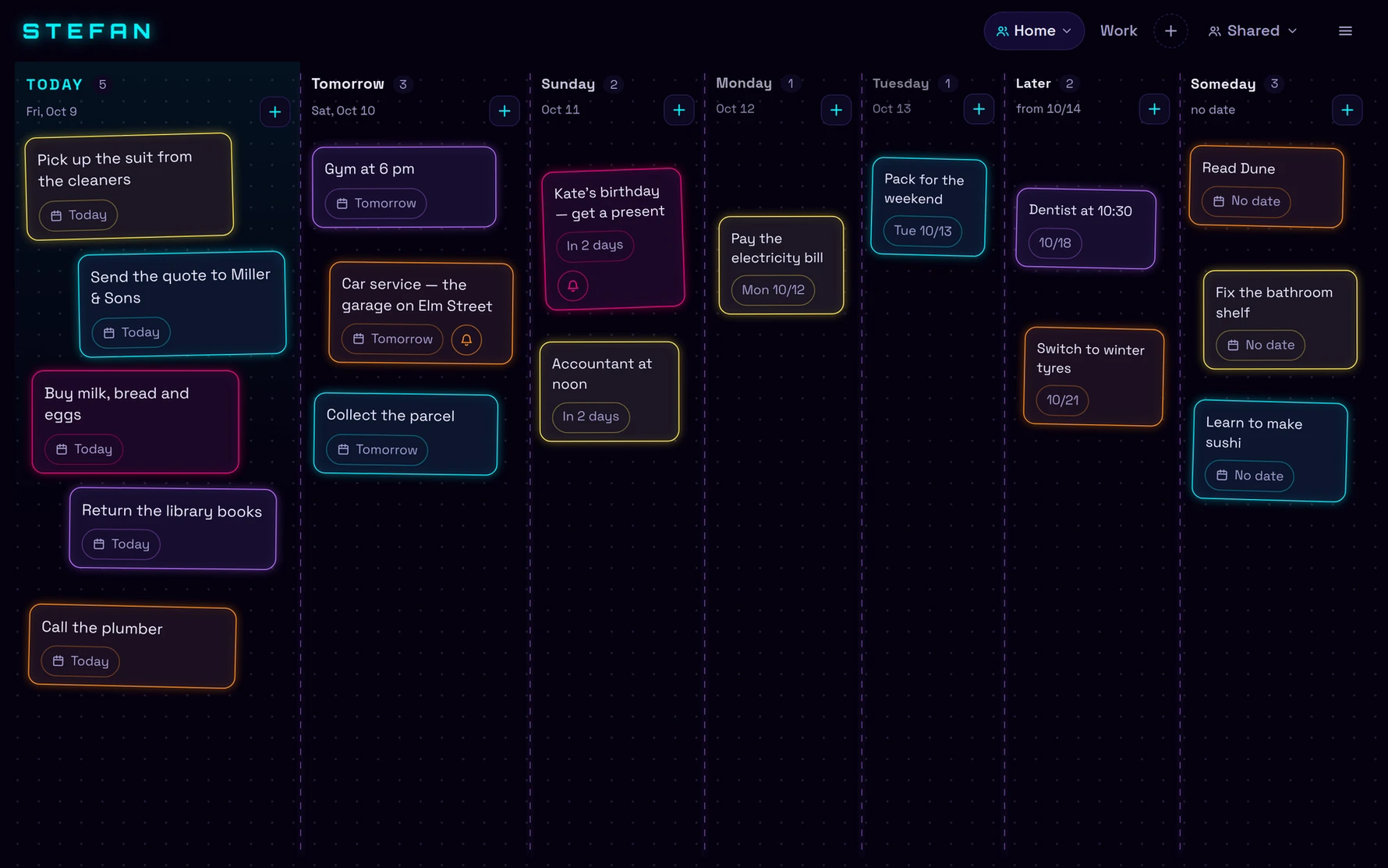
Stefan is a task board for the next few days, made of neon sticky notes. Click “+”, write what needs doing, and lay the note on the day it is due. The board is split into lanes — today, tomorrow, the three days after, later and someday — so the week reads at a glance, and dragging a note into another lane gives it a new date.
Tomorrow turns into today at midnight by itself. A note can carry up to three reminders, which arrive as notifications even with Stefan closed — on a computer, on Android, and on an iPhone once Stefan is on the Home Screen. Tick a note off and it goes to the archive, where one click brings it back.
Keep up to three boards of your own — work, home, a trip — and share any of them with a link: to look at, or to work on together. Stefan runs in the browser, on a computer and on a phone, in English and Polish. It is free, with no ads; you sign in with your Neon Network account, the same one as in our games, or with Google.
On Windows there is also an app: the same board, laid over everything on one monitor behind a hotkey. Hold it to peek at the week, tap it to keep the board up and work on it; reminders and new notes on shared boards arrive as Windows notifications.
Free, in English and Polish · Privacy policy
Inside the app
A note on the day it is due.
A lane for every day
Today, tomorrow, the three days after, later and someday. Drag a note into another lane and it has a new date; at midnight, tomorrow becomes today on its own.
Notes, not a list
A note stays where you put it, in one of five neon colours you pick yourself. Nearer days are drawn larger, so what is due soon is what you see first.
Reminders that reach you
Up to three per note, as notifications even with the tab closed — on a computer, on Android, and on an iPhone from the Home Screen.
Three boards
Work, home and a trip kept apart, each with its own name and its own notes.
Boards you share
A link that works once, for seven days. Decide whether that person can add notes or only look, and get a notification when someone adds one.
Done goes to the archive
Tick a note off and it leaves the board, not your history. Bring it back with one click, or delete it for good.
Nothing to install
It opens in the browser, on a computer and on a phone. Add it to your Home Screen and it opens like an app, with its own icon.
On your Windows desktop
An app that lays the board over everything on one monitor behind a hotkey: hold to peek, tap to keep it up. Installs for you only, no administrator rights.
A closer look
On your phone, on time, together.
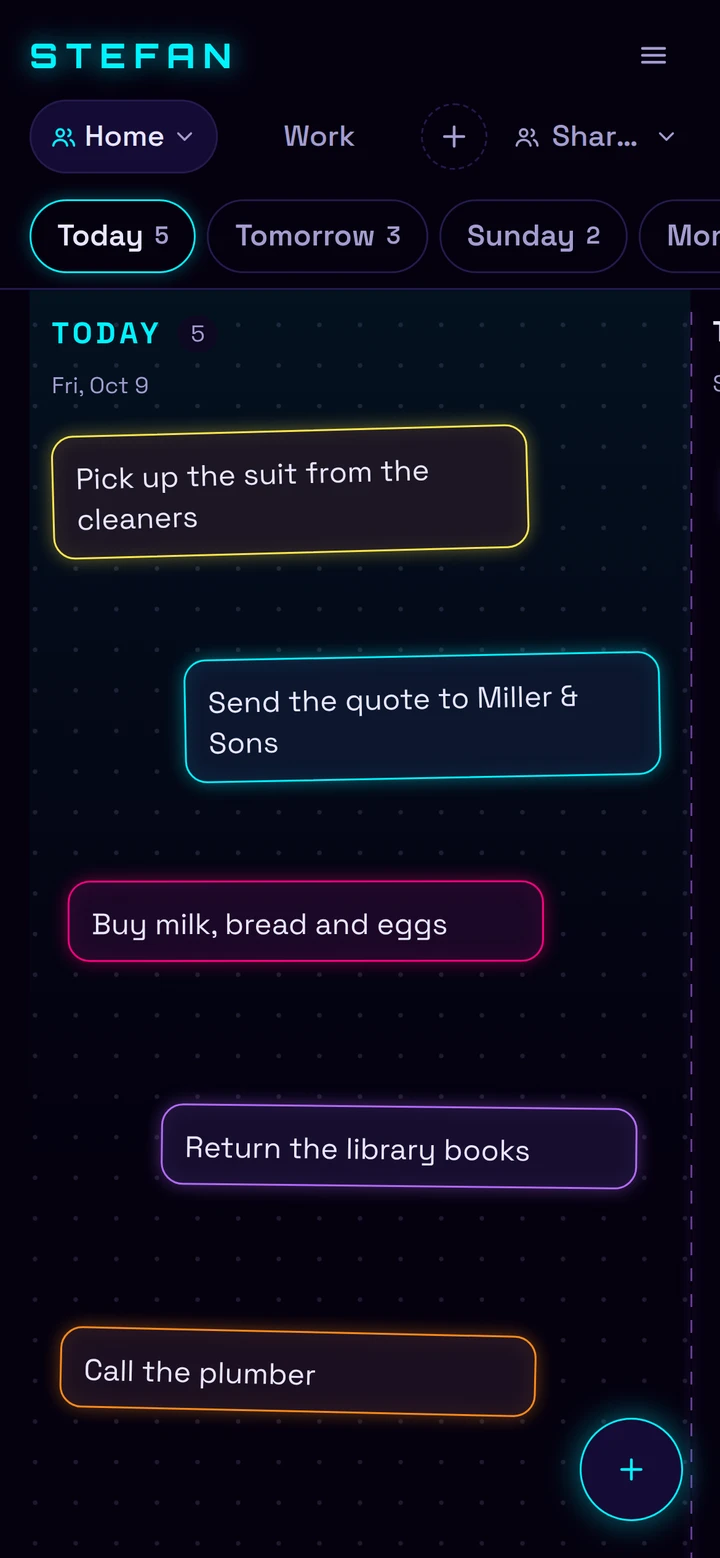
On a phone
One day per screen.
On a phone, Stefan shows the board a day at a time: swipe between the days, or tap a tab to jump. The round “+” adds a note to the day on screen.
Add Stefan to your Home Screen and it opens like an app, with its own icon — on an iPhone, that is also what lets its reminders through.
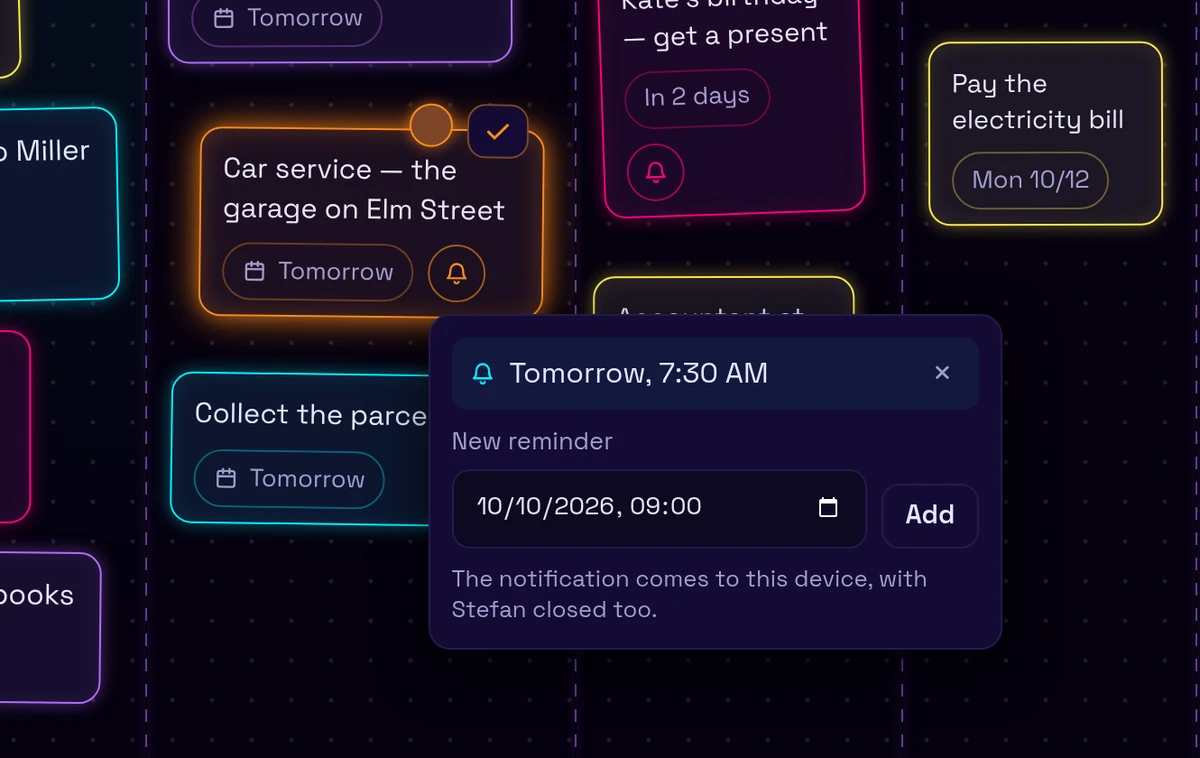
Reminders
It remembers, so you do not have to.
Give a note up to three reminders — the evening before and an hour ahead, say. Each one arrives as a notification on every device you have switched them on for, even with the tab closed.
A reminder is a moment, not a time on a clock face: it rings at the same instant on your laptop and on your phone, wherever either of them is.
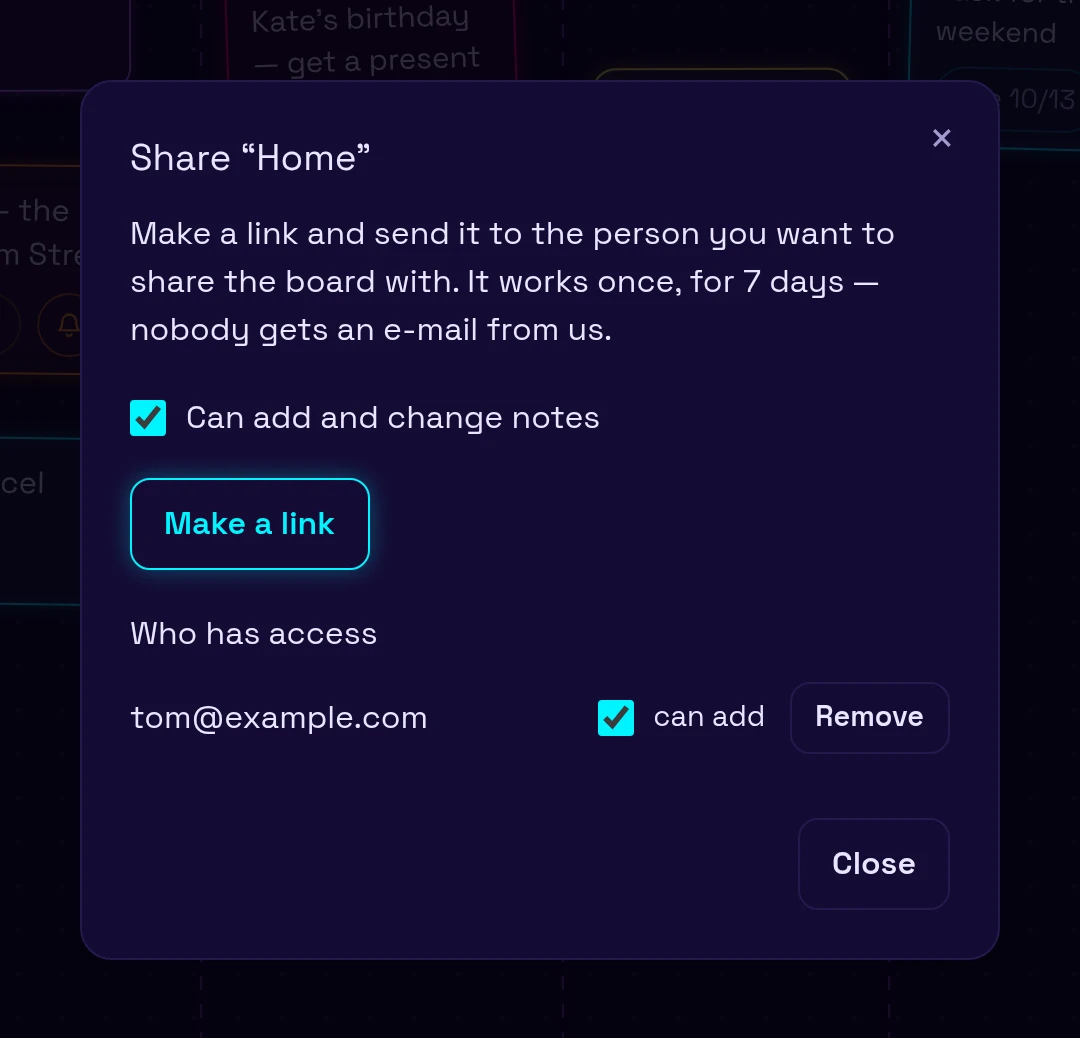
Together
One board, several people.
Make a link and send it — it works once, for seven days. Tick whether that person may add and change notes or only look, change your mind later, or take their access away.
Reminders on a shared note ring for everyone on the board, and each of you can be told whenever someone adds a note.
From the studio
Built by Neon Labs.
Stefan is made by Neon Labs, a tiny independent studio making simple, ad-free games — and, now and then, something for the rest of the day. Your Neon Network account from our games is your Stefan account too.