A Windows utility · On request
Neon Blade
Type it. Cut it.
Neon Blade is a small Windows app for cutting lettering on Skycut cutting plotters. Type a text, pick any font installed on your PC, set how tall every letter is, and cut it — from one window, with nothing in between.
The sheet on screen is the foil in the machine, drawn to scale: at real size, what you see is what the knife cuts, to the millimetre. It draws the weeding box and the weeding lines for you, melts overlapping letters into one shape, and keeps a cutting preset for every material.
It is built and tested on a Skycut CX16 and talks to the plotter straight over USB. No account, no ads, no tracking, and it works offline.
Works with Skycut cutting plotters — built and tested on the CX16.
Not sold in a store — write to me to ask for access.
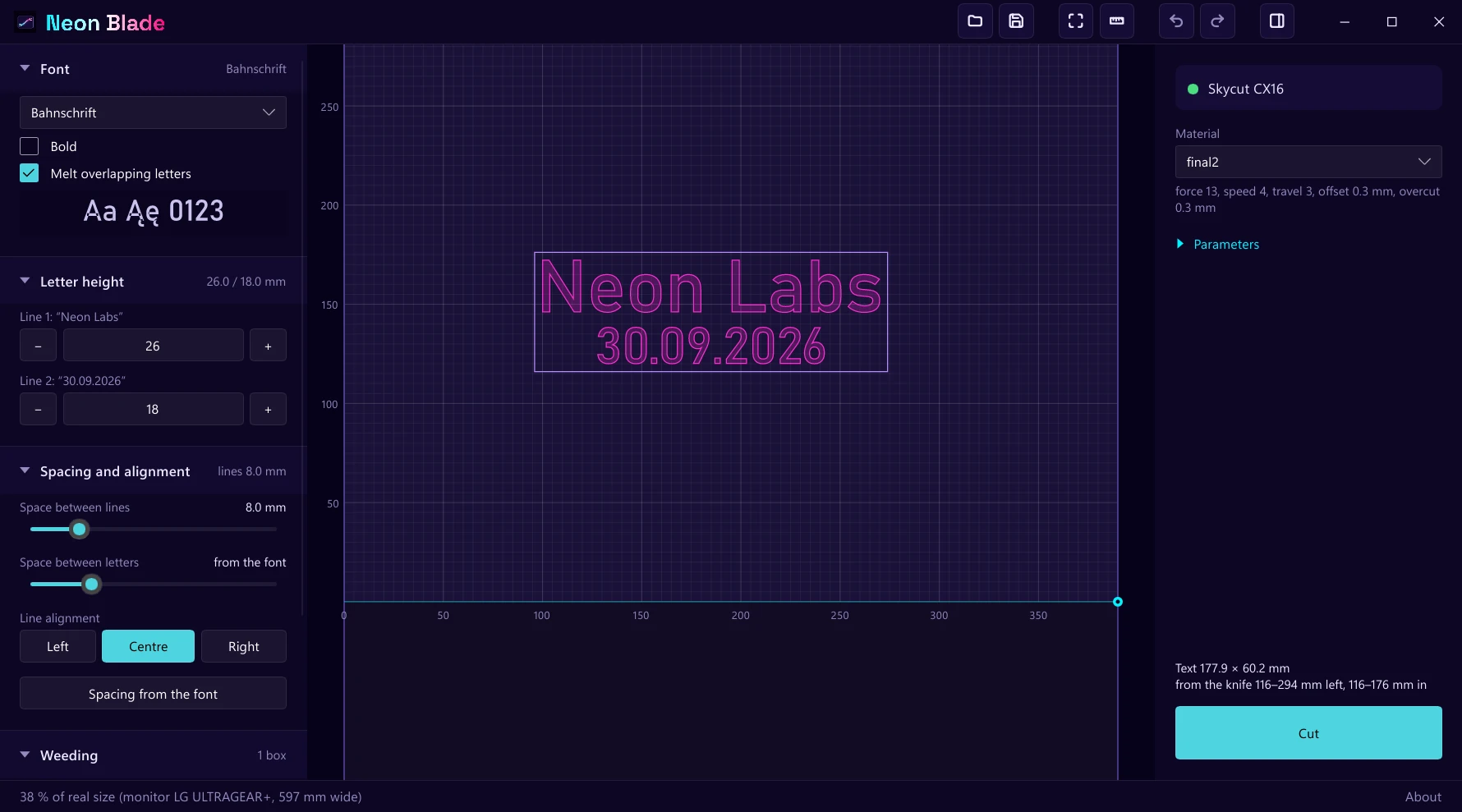
Inside the app
From a line of text to a clean cut.
Every letter its own height
Set the height of each line, or split characters off and give them a height of their own. Nudge the space after a letter, or lift it up and down.
Real size, on screen
The foil is drawn in millimetres. “Real size” reads your monitor’s dimensions and shows the text at exactly 100 %, so a ruler held to the screen agrees with the cut.
Any font on your PC
Every installed font, with its kerning. The five you used last sit at the top of the list, and a letter the font does not have is named, not silently dropped.
Weeding that draws itself
A weeding box at the distance you choose. Click once for a weeding line and it runs to the nearest cut on both sides. Overlapping letters melt into one shape.
Clean corners
Blade offset and overcut are part of the job, so corners come out sharp and closed shapes close — the two things a cutting knife does not do by itself.
A preset per material
Force, speed, travel speed, offset, overcut and passes, saved under a name. Trying a value never changes the preset until you press Save.
Nothing moves until you say so
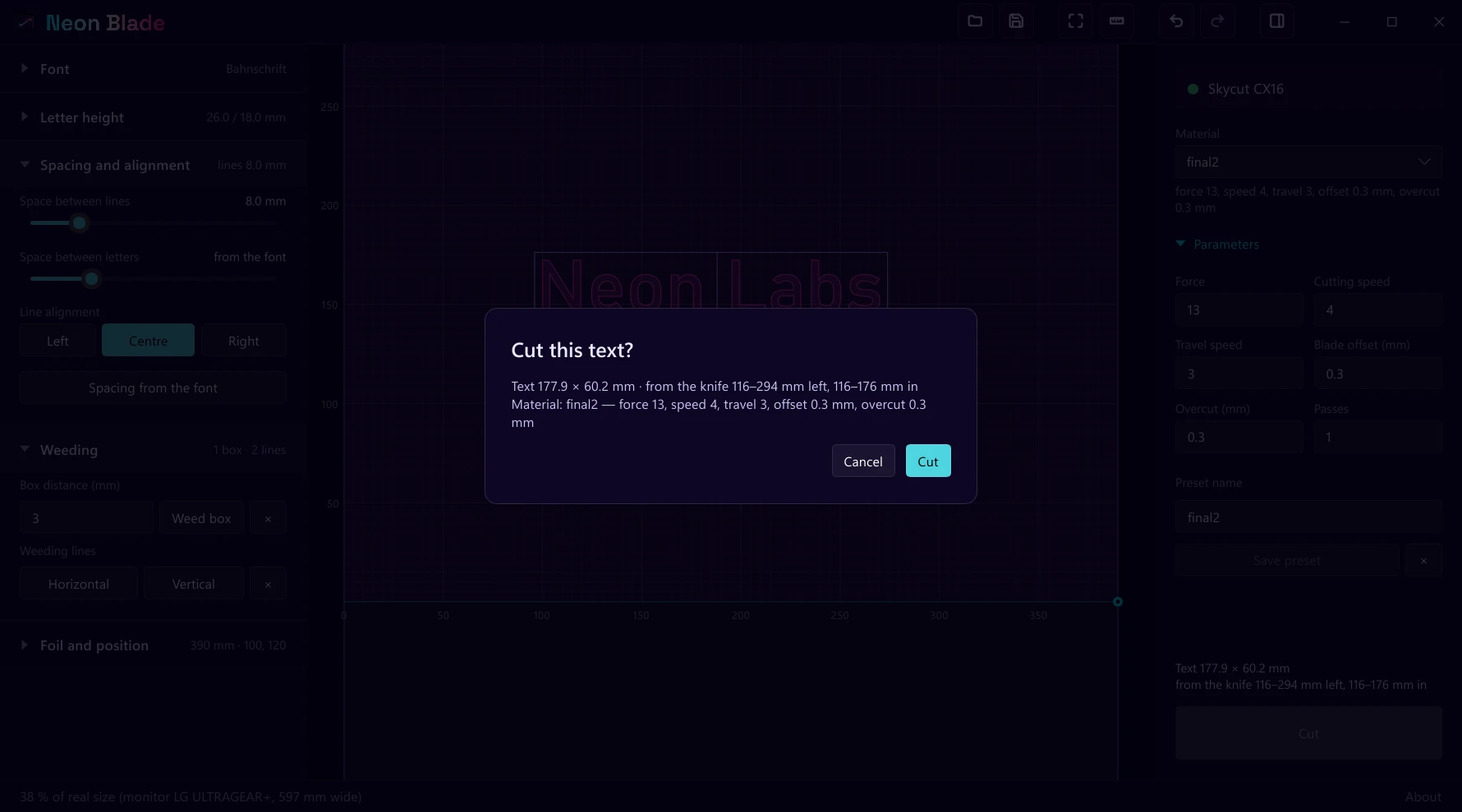
Cut asks first: how big the text is, where it sits from the knife and which material. Then it sends the job and shows the progress.
Projects and undo
Save a job as a file and open it later. Every change can be undone, and the window opens where you left it.
Your work stays on your PC
No account, no ads, no tracking, and it works offline. The app never sends anything; its About box only opens our website when you click the link.
A closer look
Four things it does well.
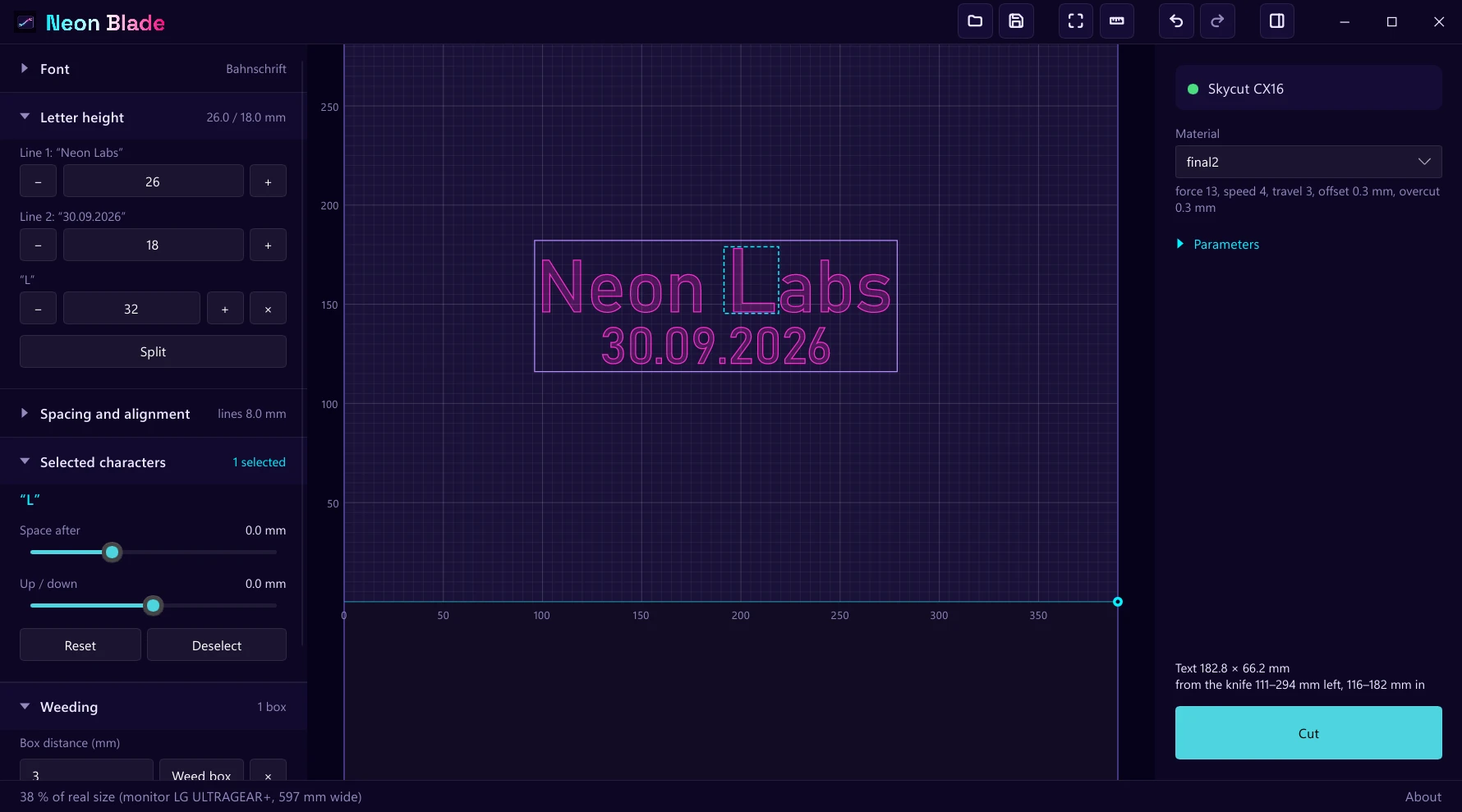
Lettering
Every letter gets a say.
A line has one height, and any character can have its own — a capital a little taller, a tail that dips below the line. Nudge the space after a letter, lift it or lower it, or spread a whole line to the left, the middle or the right.
The sheet answers as you change it, in outline, so what you see is the path the knife will take.
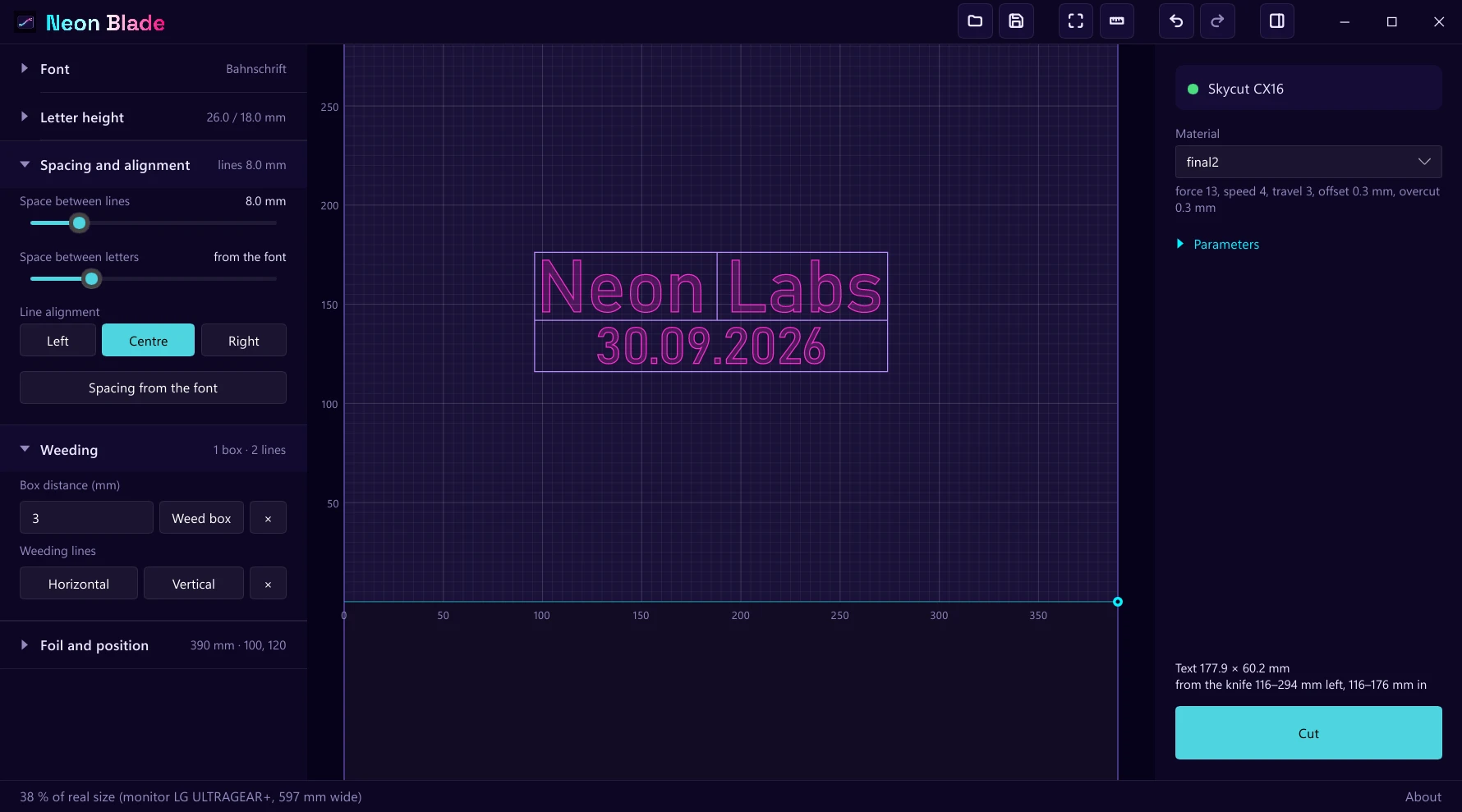
Weeding
The waste peels away in pieces.
Put a box round the text at the distance you like, then click where a weeding line should go. It runs to the nearest cut on both sides, so the vinyl round the letters comes off in easy strips instead of one sheet that takes the letters with it.
Script lettering that overlaps itself can be melted into single shapes first, so a tail does not cut through the letter it crosses.
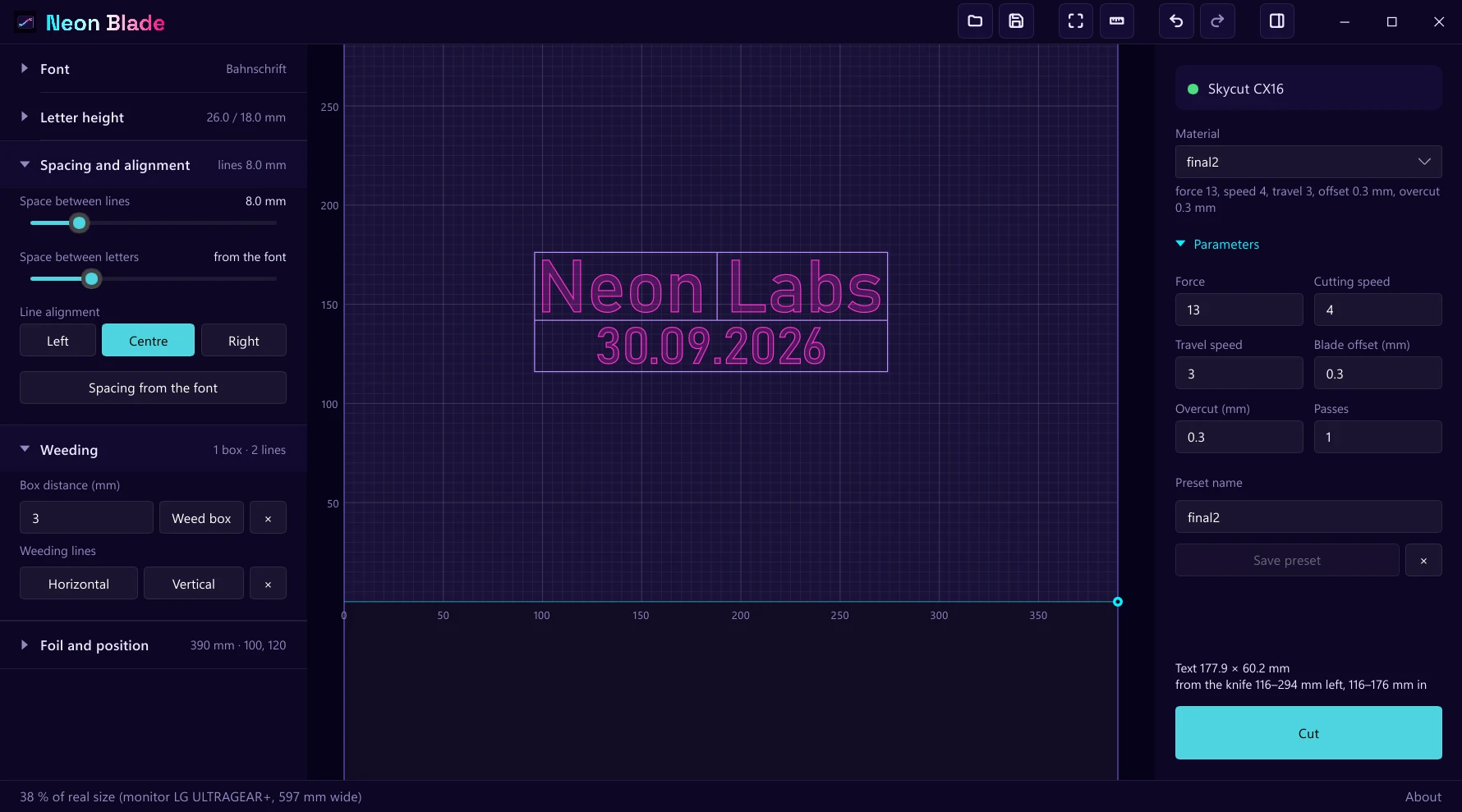
Materials
One material, one preset.
Force, cutting speed, travel speed, blade offset, overcut and how many passes — set once for a foil and kept under its name. Change a value to try it, and the preset stays as it was until you press Save.
The knife’s offset and the overcut are worked into the path itself, so the corners come out sharp and every closed shape really closes.
Cutting
Nothing moves until you say so.
Cut opens one question: how big the text is, how far from the knife it will sit, and which material’s settings it will use. Say yes and the job goes to the plotter over USB, with the progress on screen.
The button stays grey while the plotter is not there, and a text that would run past the foil is flagged before it gets anywhere near the knife.
From the studio
Built by Neon Labs.
Neon Blade is made by Neon Labs, a tiny independent studio making simple, ad-free games — and, now and then, a tool for the desk it was made at. This one started with a cutting plotter on ours. It is not in a store; write to us for access.
Skycut is a trademark of its owner. Neon Blade is an independent program by Neon Labs and is not affiliated with or endorsed by Skycut.